One plan for both homes. More clarity for the kids.
The children’s plan, changes with a reply-by date, school and calendar: the same in both homes.
How it goes today
- “Can you have Timo this weekend?” Two days of nothing, then three question marks.
- “Who has the kids on Thursday?” The answer is somewhere in a chat from March.
- The test was on Tuesday. You hear about it on Wednesday.
What’s missing isn’t another chat. It’s one state that holds in both homes, and a rule for when nobody replies.
What CoParity does
Six areas, one state. Everything here looks the same on both sides.
-
The plan
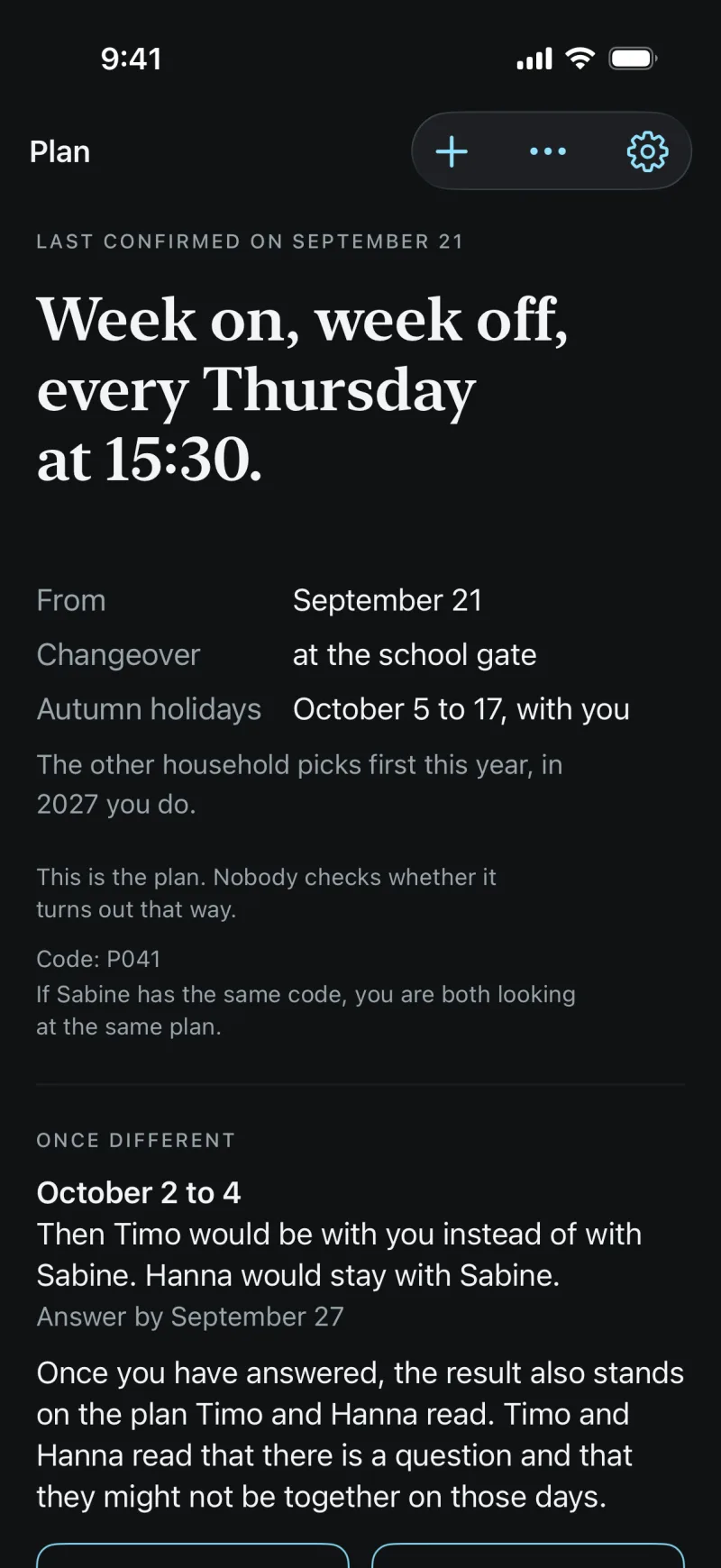
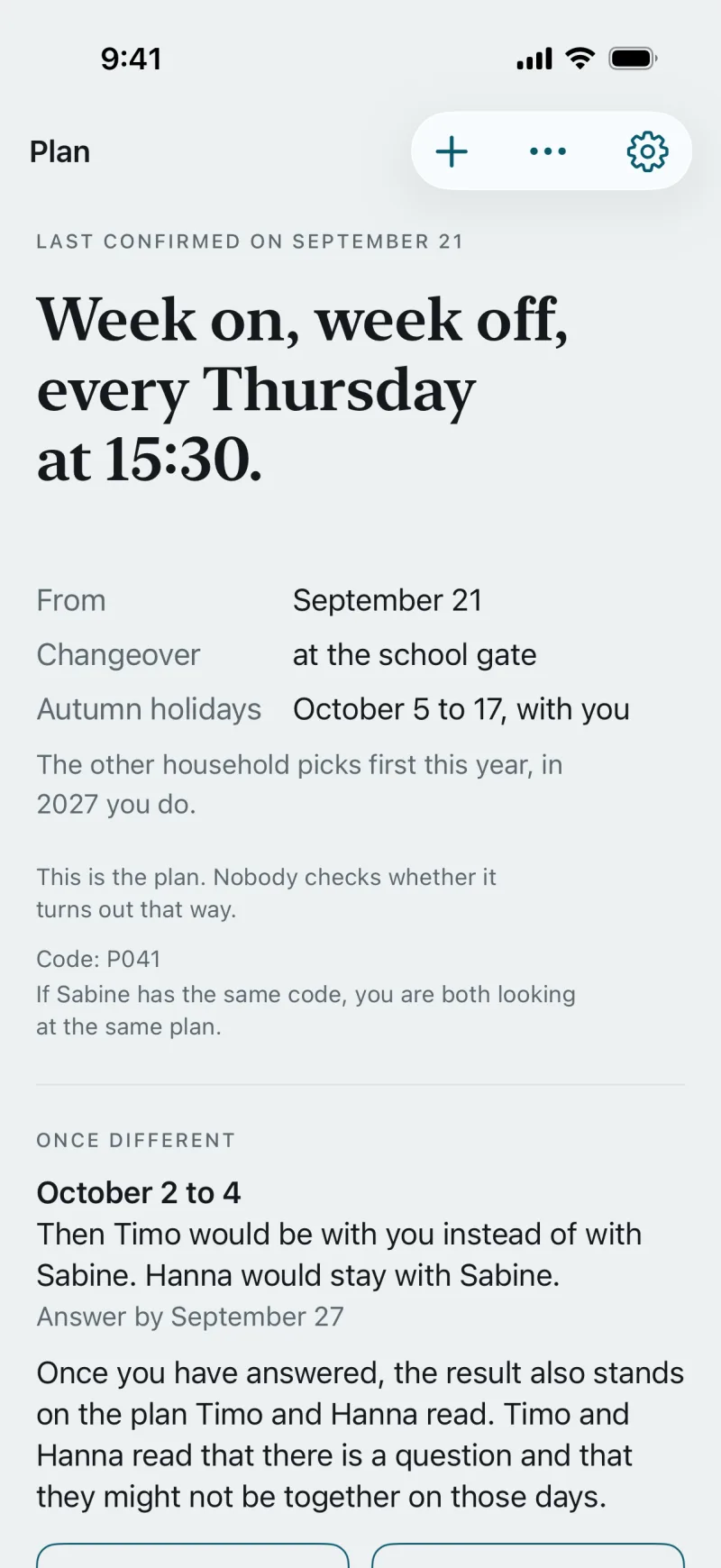
A rhythm of alternating weeks, changeover days with time and place, holidays and exceptions. Both of you confirm the plan, and then it holds.
-
Changes
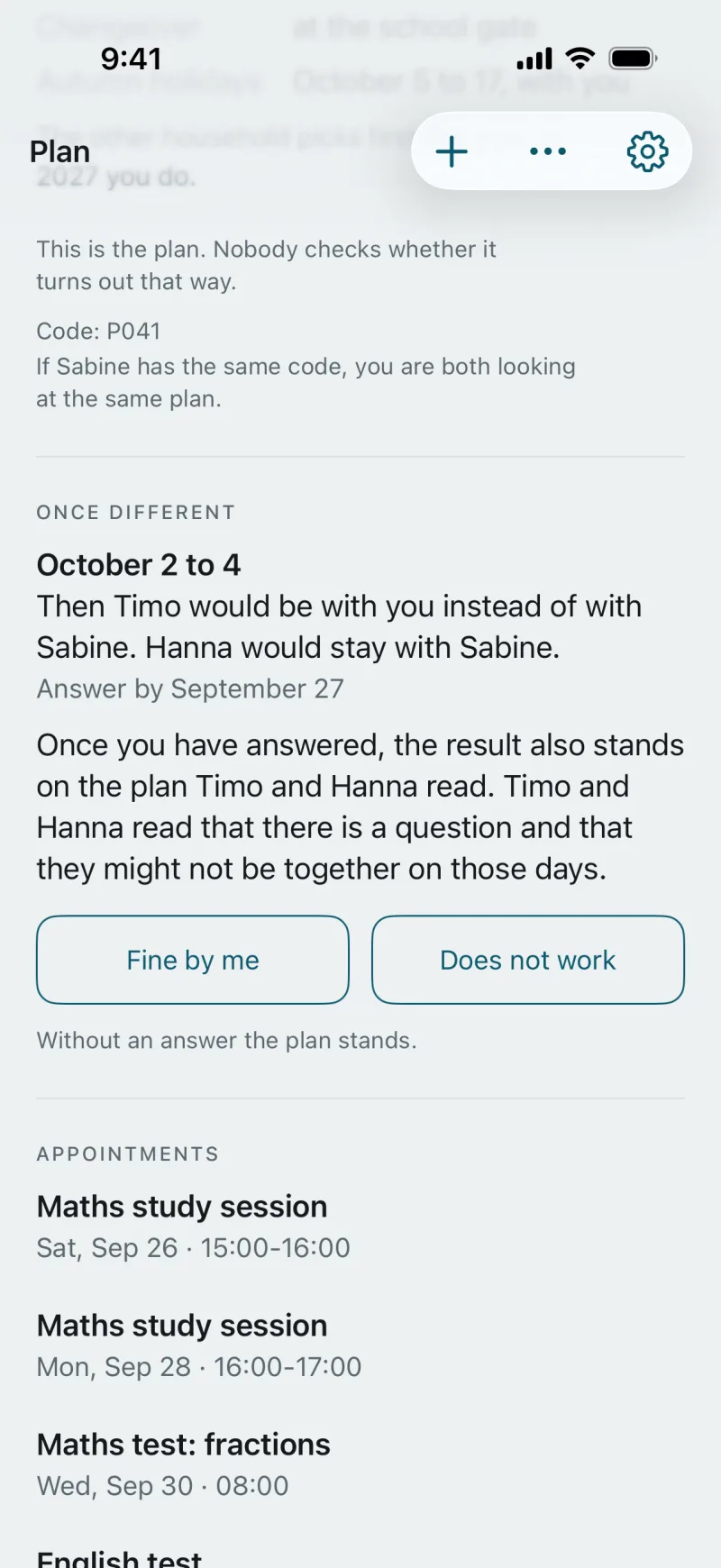
You propose a change as a question with a reply-by date, at least 48 hours ahead. The answer is “Fine by me” or “Does not work”; without an answer the plan stands. For the same day there is “Give a time”.
-
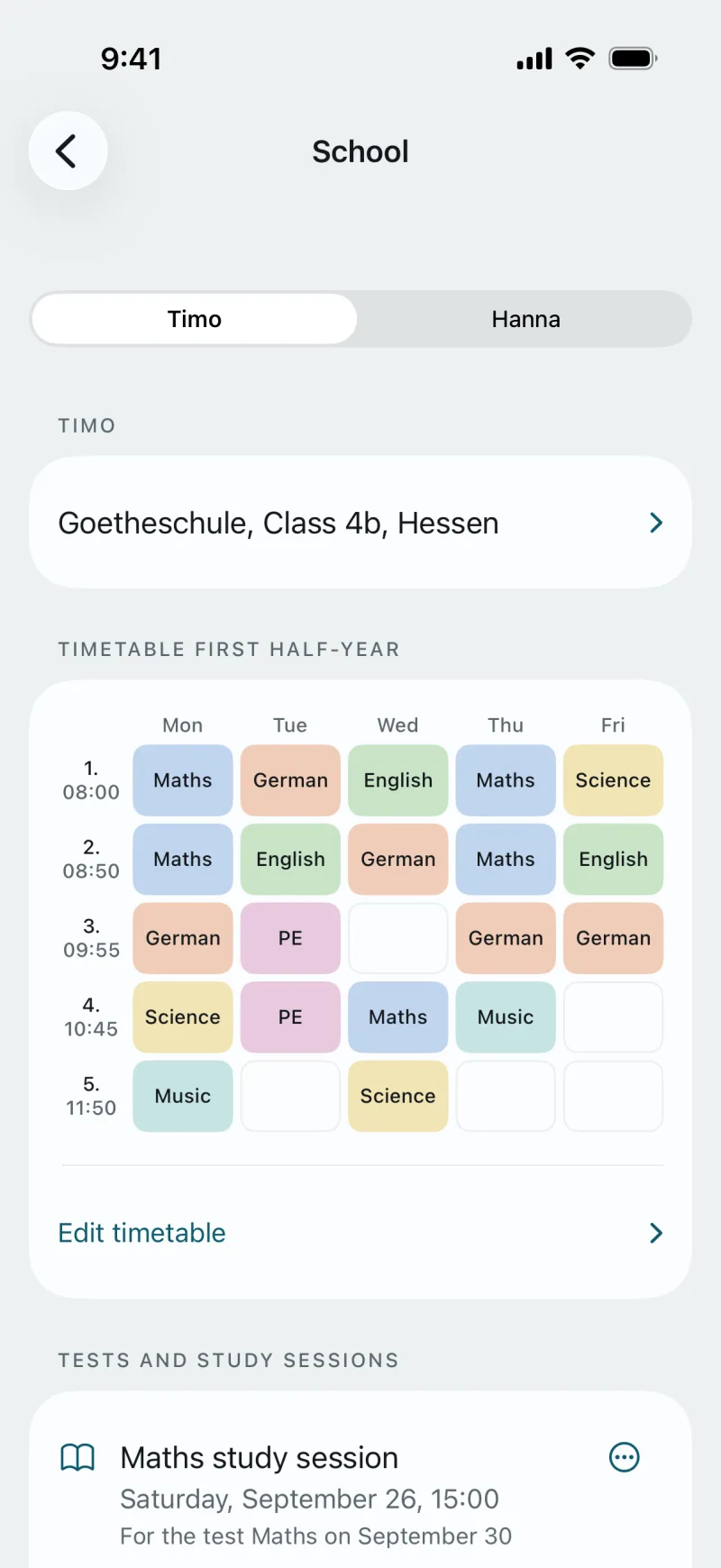
School
A timetable for each term, tests and study sessions, report cards as encrypted scans. Whoever Timo is with right now, the timetable is the same.
-
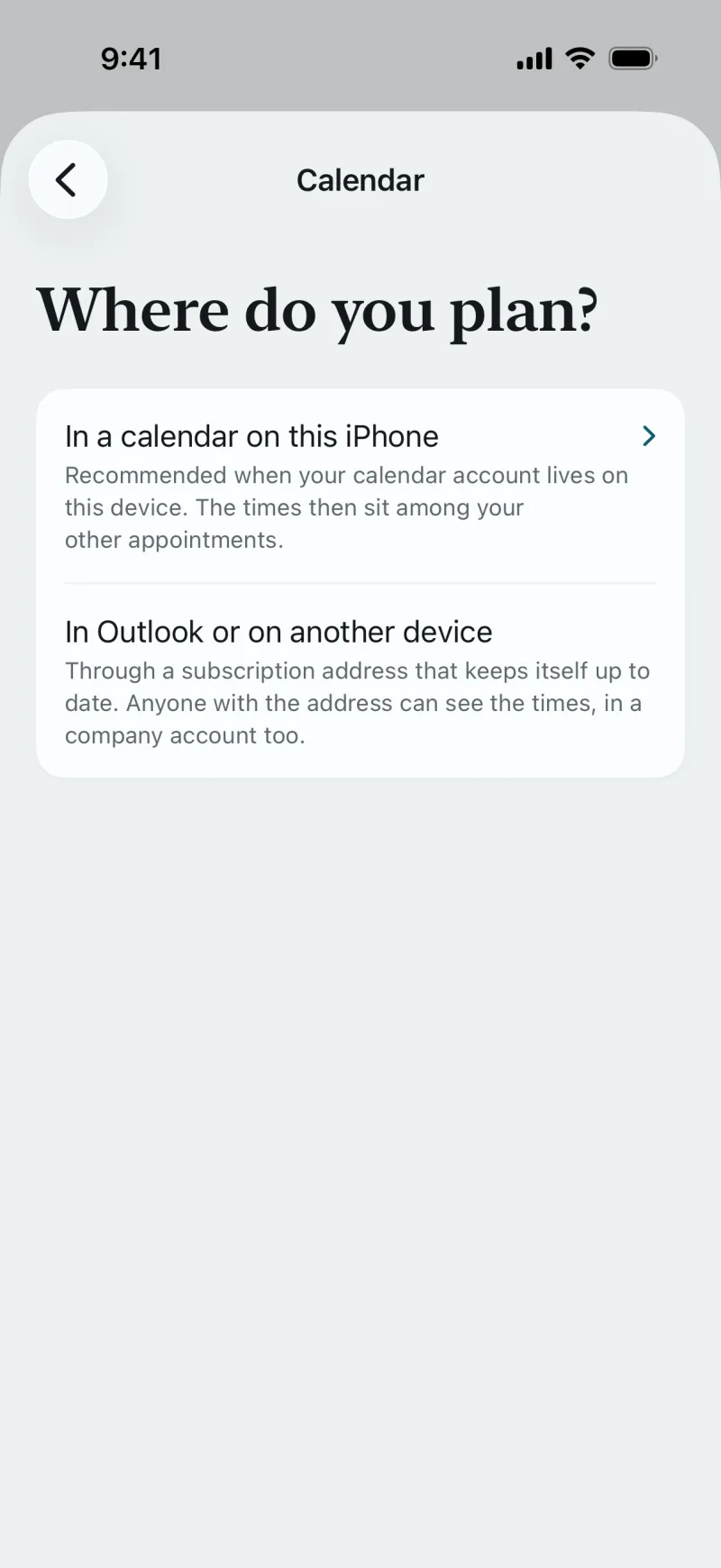
Calendar
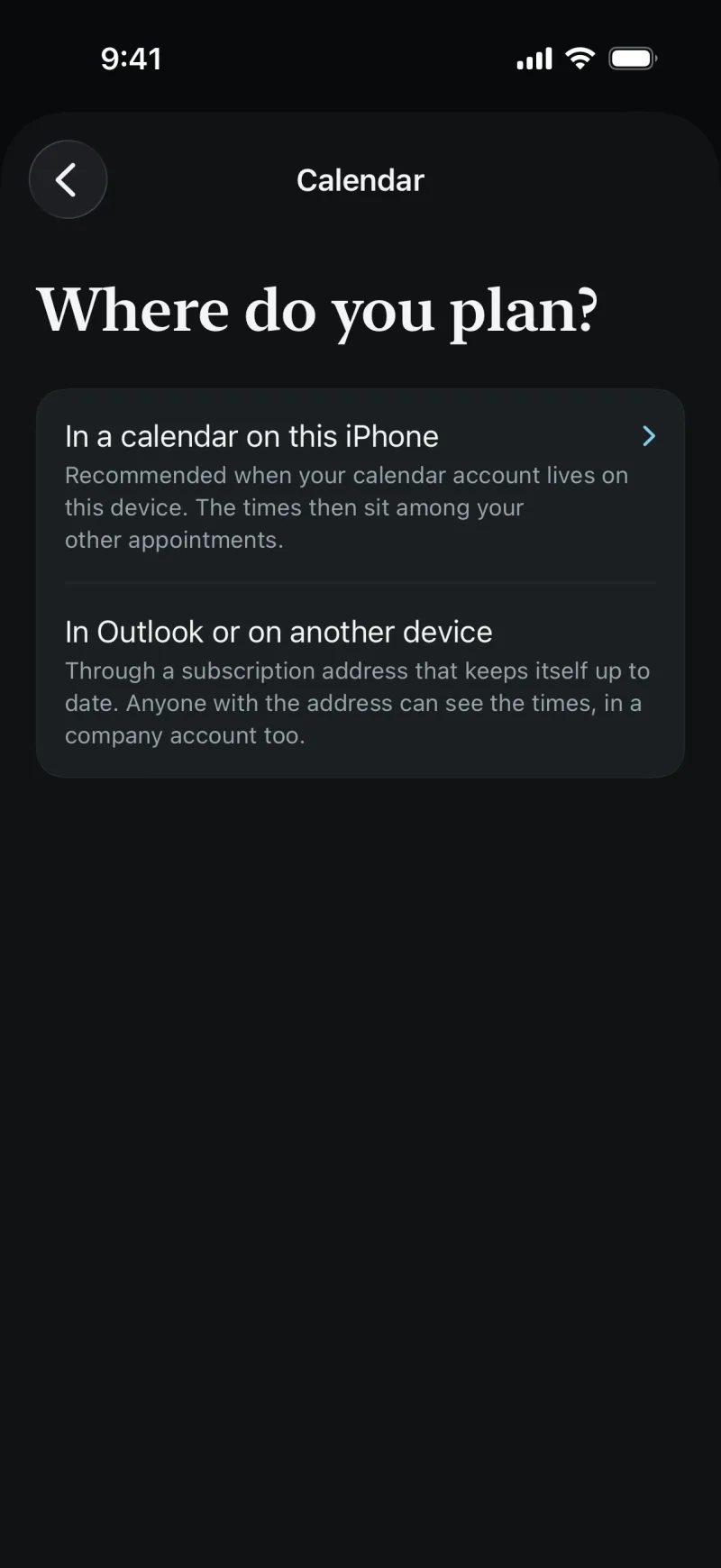
The plan writes itself into your own calendar, on the iPhone, in Outlook or at Google. The children’s appointments sit next to it.
-
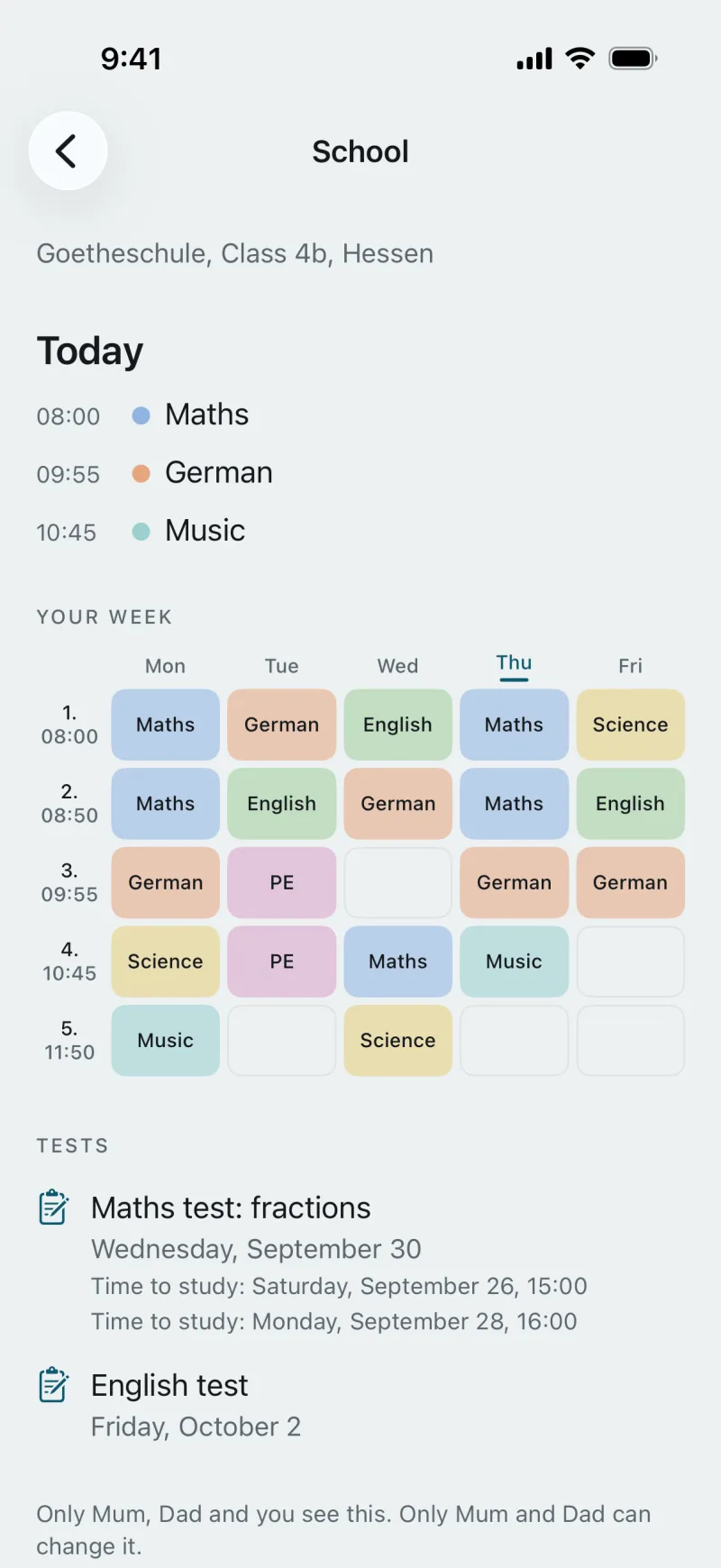
The kids
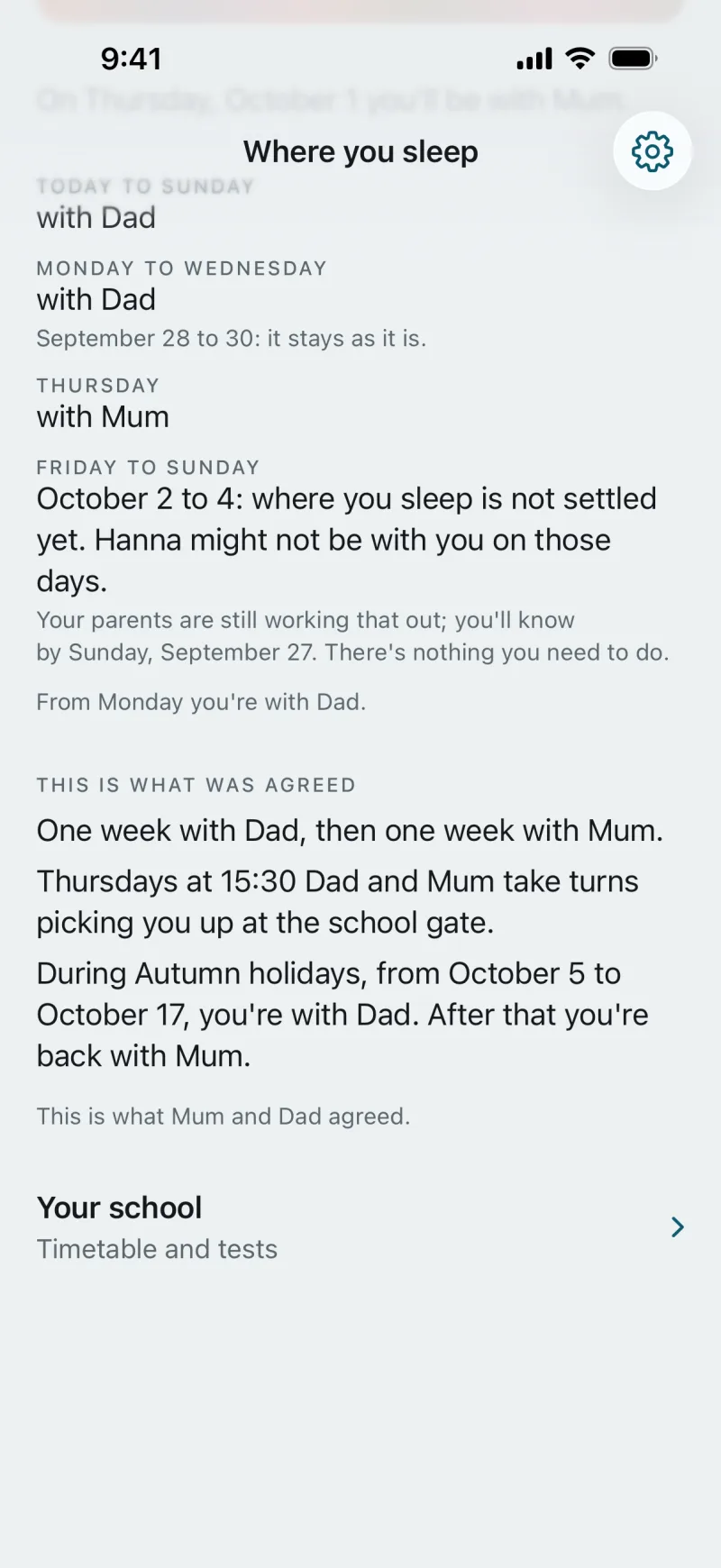
With an account of his own, Timo sees “Where you sleep” and “Your school” in his words, without grades. For Hanna you open her view on your phone.
-
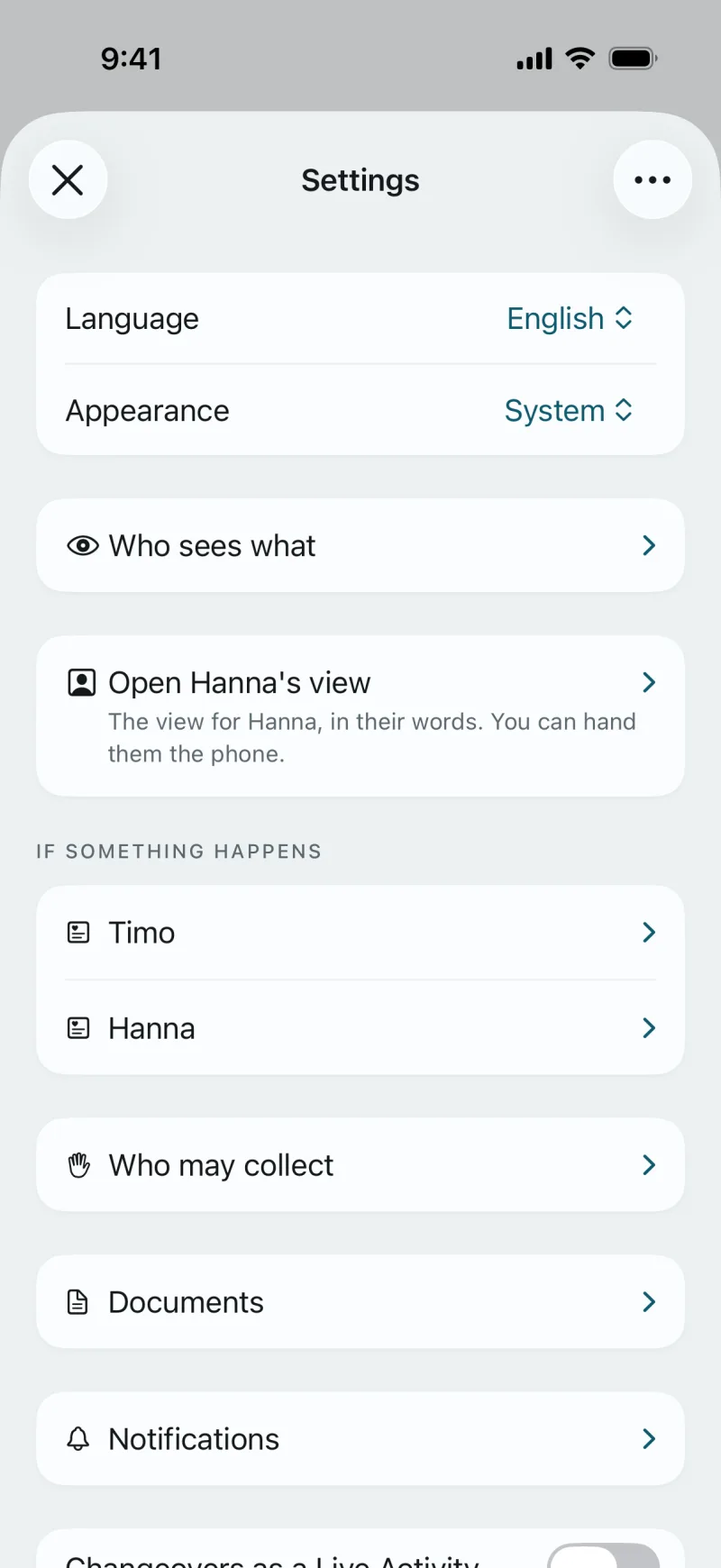
Everyday and safety
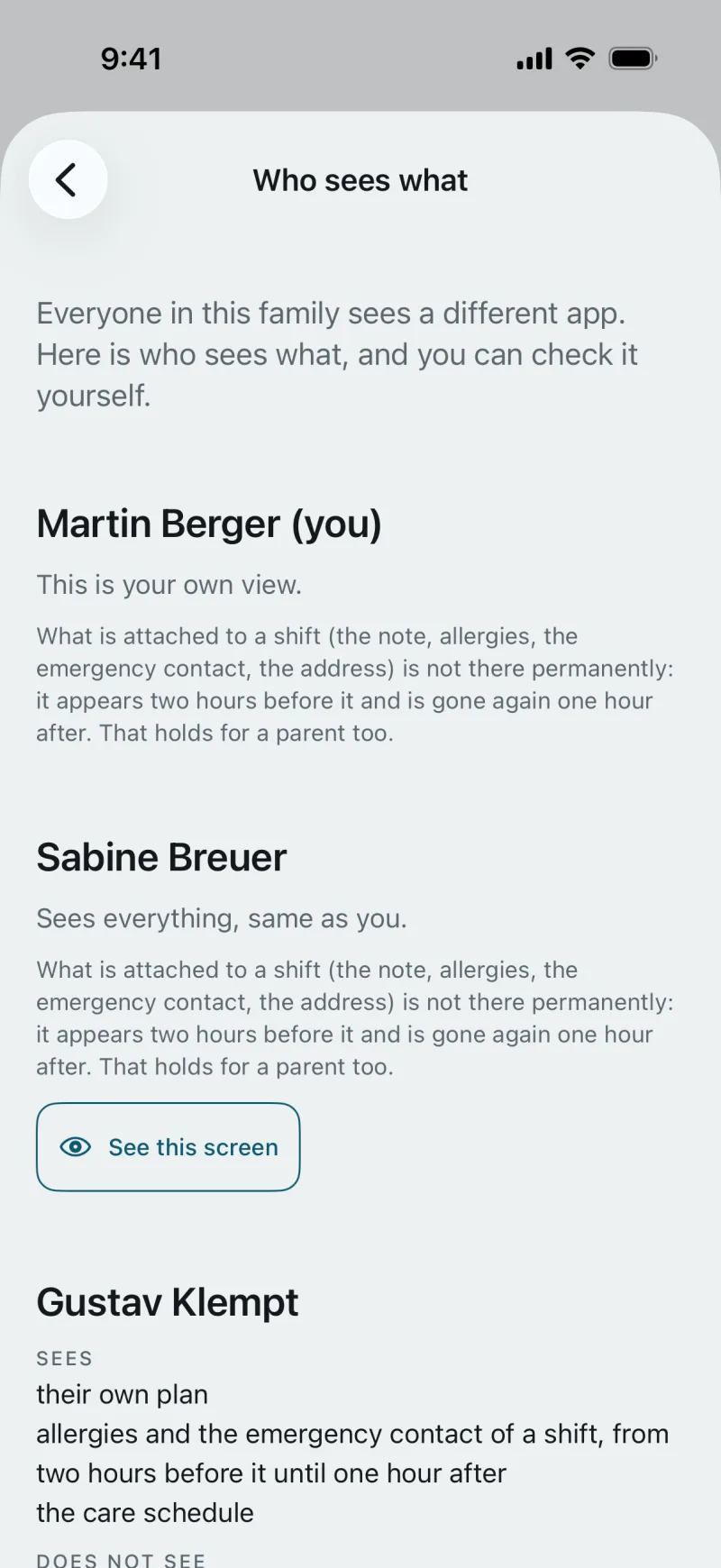
Who may collect, documents, allergies and medication under “If something happens”, and the sheet: the plan as a PDF for school, after-school care and grandparents. “Who sees what” shows what each person sees.
A week with CoParity
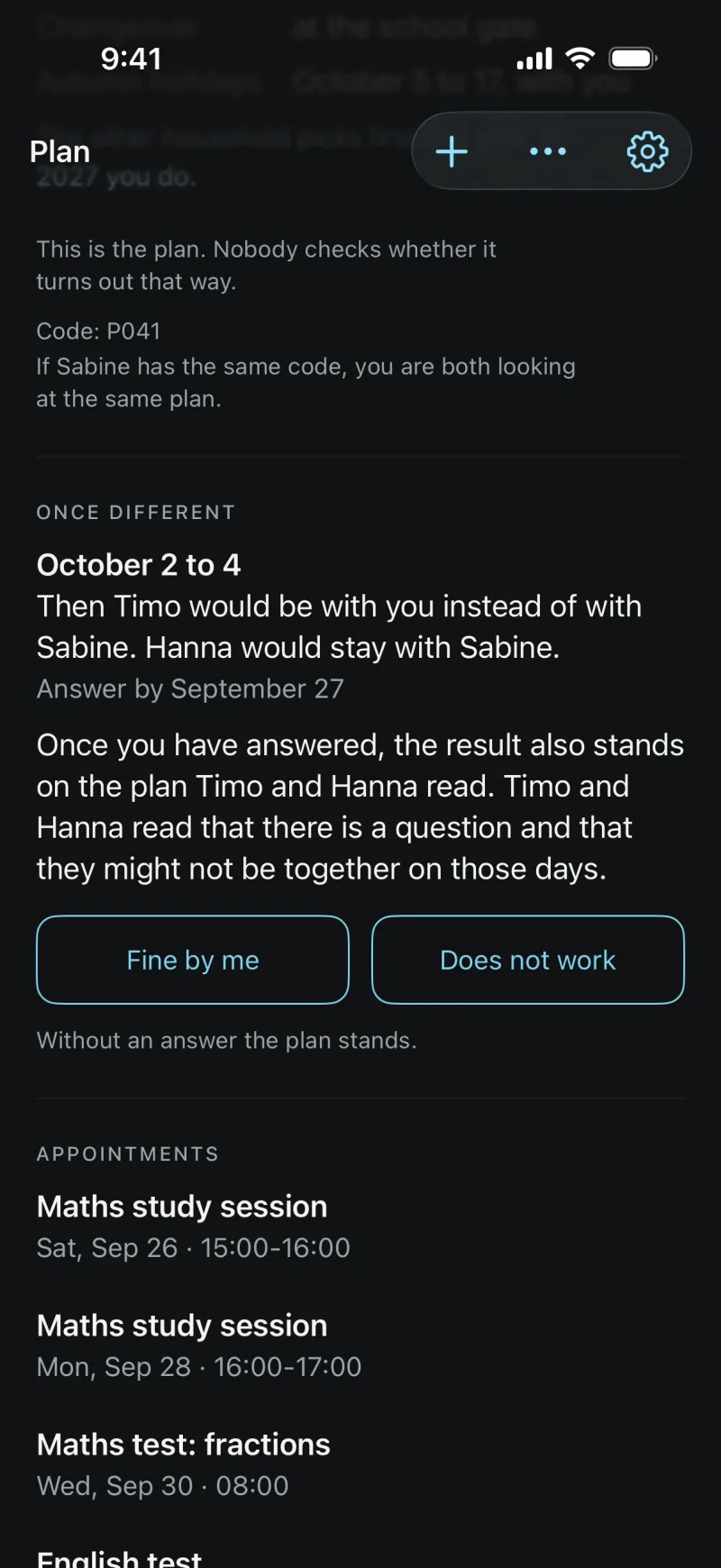
The week of September 28 to October 4, as it stands with you and with Sabine. Sabine has asked about three days. Tap an answer.
Sabine asksAnswer by Sunday, September 27
October 2 to 4: Timo would be with you instead of with Sabine. Hanna would stay with Sabine.
Without an answer the plan stands.
- Mon 2816:00 study session, mathsTimo and Hanna with you
- Tue 29with you
- Wed 3008:00 maths testwith you
- Thu 115:30 changeover, school gate16:00 study session, Englishfrom 15:30 with Sabine
- Fri 208:00 English testwith SabineTimo with you, Hanna with Sabine
- Sat 3with SabineTimo with you, Hanna with Sabine
- Sun 4with SabineTimo with you, Hanna with Sabine
by the planschoolagreed
The question has a reply-by date
Sabine asks on Friday, more than 48 hours before the first day. You can answer until Sunday, September 27. You don’t have to: without an answer the plan stands.
The test sits with both of you
Thursday’s study session and Friday’s test are in the plan and in both calendars, even though Timo is with Sabine then. Whatever you answer, the dates stay the same.
The changeover stays as it is
Thursday, 15:30, at the school gate. Running late one day? You give the new time (“Give a time”). Nothing to reply to.
Illustration: the week as it looks by the plan and after the answer
For the kids
With an account of his own, Timo sees “Where you sleep”: “Tonight you’re with Dad.”, the next days and “Your school”, read-only. When something is still being worked out, he reads: “There’s nothing you need to do.”
Hanna has no account. For her, you open “Hanna’s view” in Settings and hand her your phone: the sentence of the day, a timeline and “Emergency 112”. A child gets an account only when both of you agree.
One state, in the app and in the browser
Today on the iPhone and, for part of it, in the browser. The Android app is to follow.
iPhone
The app with everything: create an account, set up and confirm the plan, propose and answer changes, school, documents, widgets and a Live Activity on changeover day. This is also where the family unlock is bought.
Android
The Android app is to follow on Google Play; there is no date yet. Until then an account can only be created in the app on an iPhone.
Browser
app.coparity.de with the account from the app: read the plan, answer open questions, keep the school on a laptop and print the timetable. Account and invitation work in the app.
What it costs
Most of it is free. The family unlock is the “CoParity Familie” subscription: bought once in the app on the iPhone, it covers the whole family.
Free, for good
- The plan for both homes
- Questions with a reply-by date, notices
- The plan in your calendar
- The school holidays of your state
- The child’s view
- Pick-up permissions and the emergency number
- Allergies and medication for each child
With the family unlock
€4.99 a month
or €49.00 a year
- Keep the timetable and tests
- Store report cards
- The sheet for school and after-school care
- Bring in events from your calendar
One purchase covers the whole family, on every device.
Reading everything stays free, even after the unlock ends.
What you can count on
Both of you see the same.
Plan, questions and school: one state for both homes. “Who sees what” lists what each person sees.
One purchase for the whole family.
Nobody sees who paid, and whoever pays sees no more than the other household.
Servers in Germany.
Run by Datargo GmbH in Frankfurt am Main. Report cards and documents are encrypted. No ads, no tracking.
Questions
Isn’t WhatsApp enough?
For writing, yes. What it lacks is a state that holds and a rule for when nobody replies. In CoParity every change has a reply-by date, with no reply the plan stands, and the result is in both calendars.
And if the other household isn’t on board yet?
Then you start on your own. You enter the plan, you see it and the dates are in your calendar. Whoever joins later by invitation sees the same plan.
The other household uses Android. Does that work?
Not quite yet. The Android app is to follow on Google Play; there is no date yet. Today an account is created only in the app on the iPhone, and that is also where the invitation is accepted. Until then you start on your own: the plan sits in your calendar, and with the family unlock you pass it on as a sheet (PDF).
What does CoParity cost?
The plan, questions, notices, calendar, school holidays, the child’s view, who may collect, the emergency number and health notes cost nothing. The family unlock (the “CoParity Familie” subscription) for the timetable and tests, report cards, the sheet and importing events is €4.99 a month or €49.00 a year, renews automatically and can be cancelled at the end of the current period. One purchase covers the whole family.
Who sees what I enter?
The plan, the questions, the notices and the school are seen by both of you, the parents in the same family. Carers and grandparents see only their part, a child only its own. Whatever else is in your calendar stays there.
Are there read receipts?
No. Nobody sees when you read something. A question has a reply-by date, and until then you reply or you don’t.
Do the school holidays come into the plan by themselves?
You choose the German state, and the holidays are ready to bring in, for all 16 states. For each of the holidays you choose “with me”, “at the other home” or “half and half”. Who chooses first alternates every year. This costs nothing.
Can the kids use the app?
With an account of its own, a child sees “Where you sleep” and “Your school”, read-only. An account exists only when both of you agree. For a child without an account, you open its view in Settings and hand it your phone.
Where is the data kept?
On servers in Frankfurt am Main, run by Datargo GmbH. Report cards and documents are encrypted. There are no ads and no tracking.
What can I do in the browser?
At app.coparity.de you sign in with the account from the app. There you read the plan, answer open questions, keep the timetable, tests and study sessions on a laptop and print the timetable. Account, invitation, confirming the plan and new changes work in the app.
You can start on your own.
The plan sits in your calendar even if the other household only joins later. Whoever joins by invitation sees the same plan.
An account is created in the app. In the browser you sign in with it.