For the kids
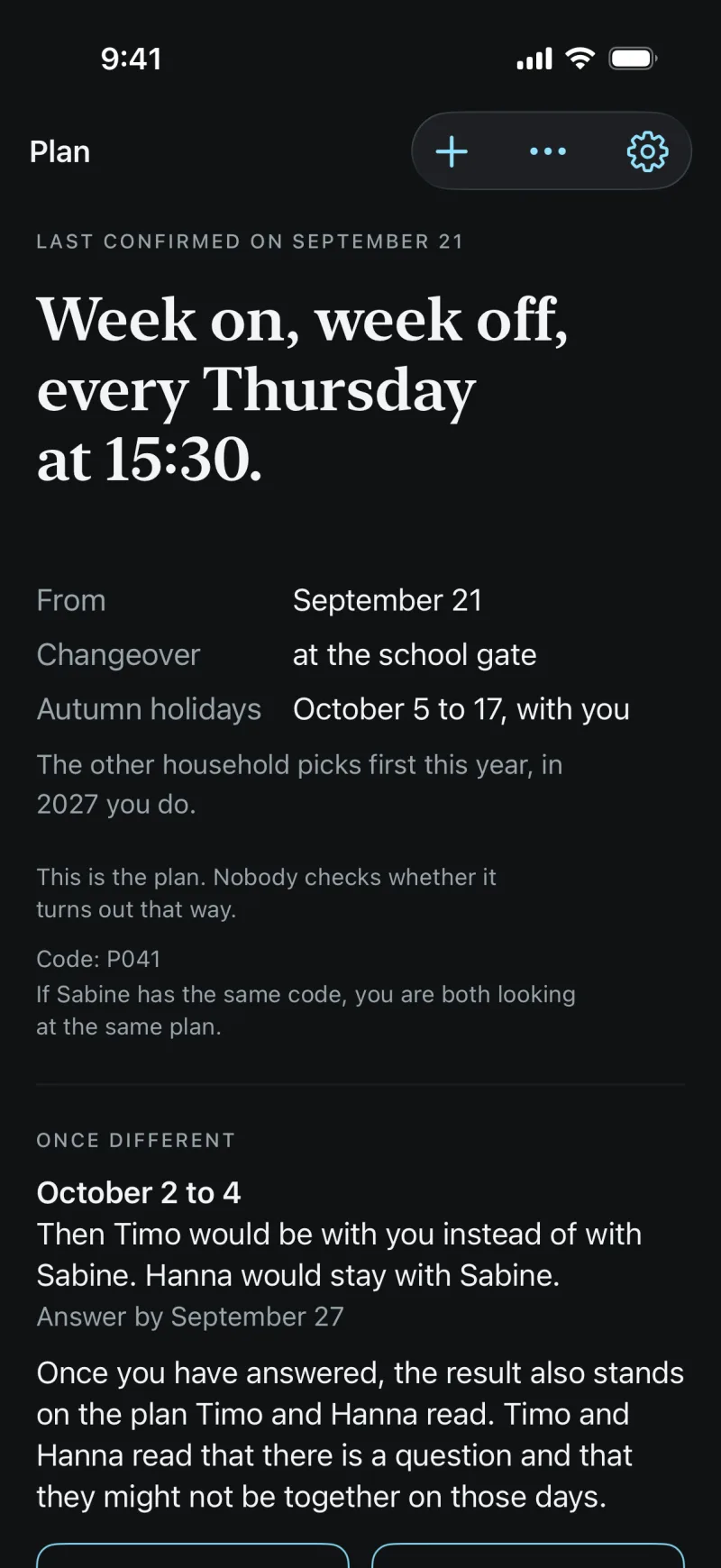
A child reads the plan in its own words, without the negotiation behind it. With an account of its own or on a parent’s phone.
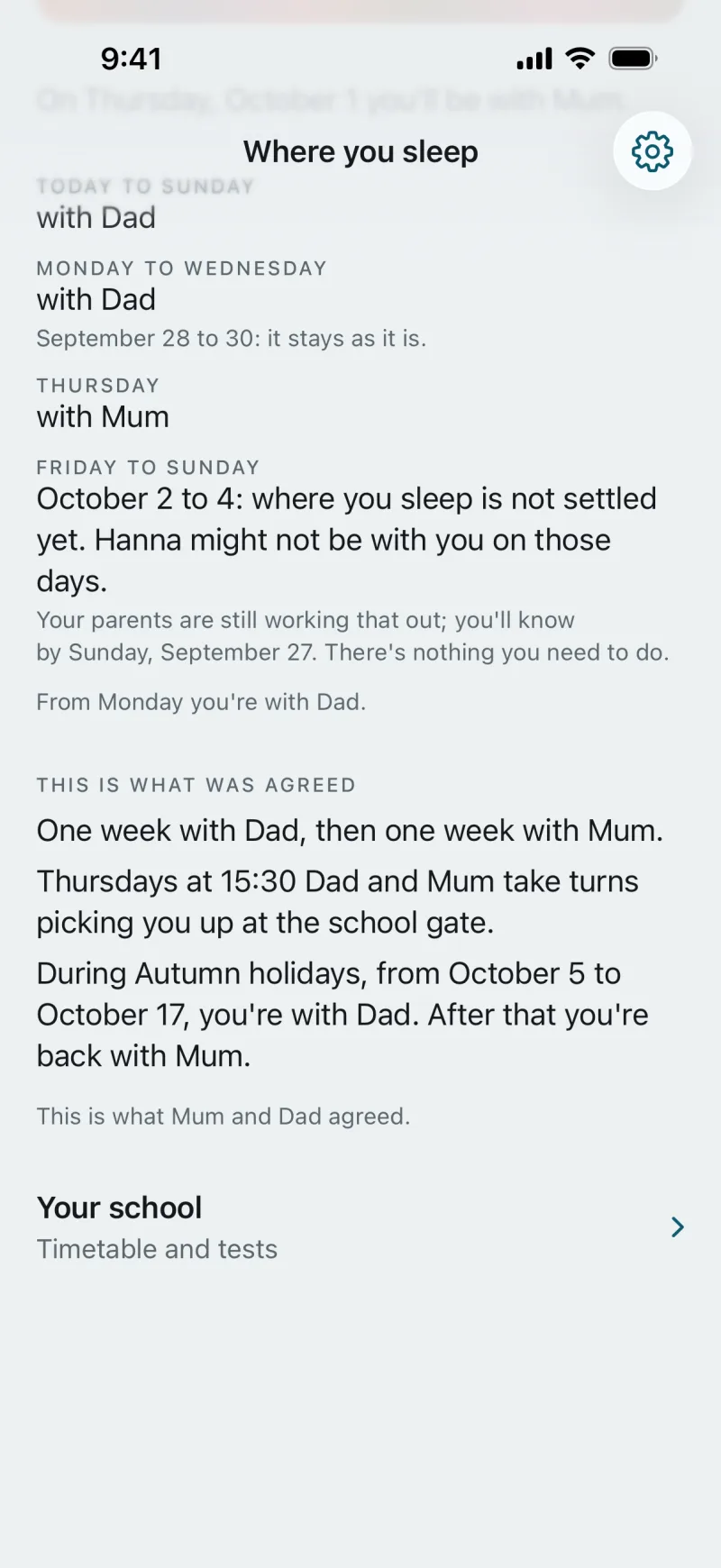
“Where you sleep”
A child with an account of its own signs in and sees “Where you sleep”: at the top “Tonight you’re with Dad.”, then the next days in blocks, under “This is what was agreed” the rule in its words, and the line “Your school”.
When something is still being worked out, the child learns it without pressure: “where you sleep is not settled yet” and “Your parents are still working that out … There’s nothing you need to do.” The child cannot change anything.
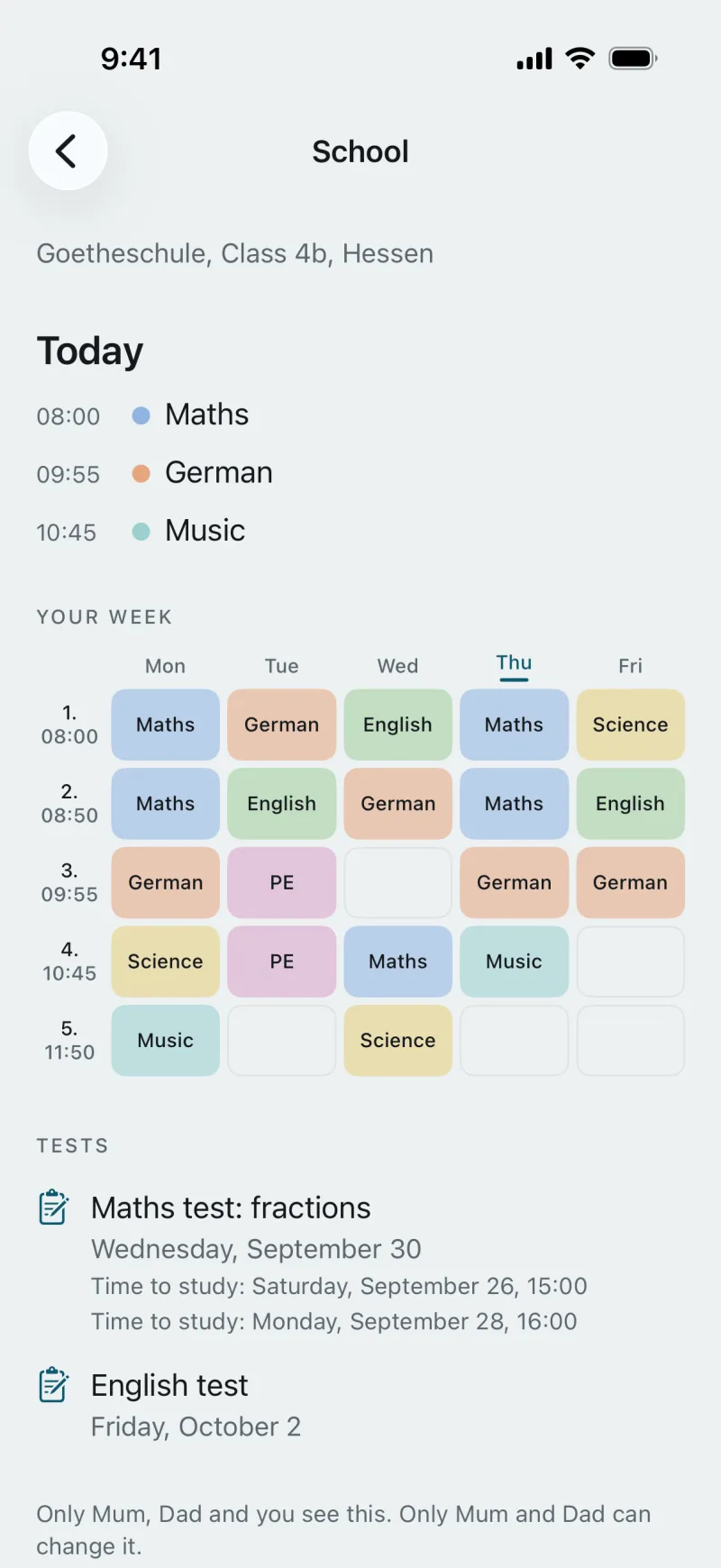
“Your school”
Timetable and tests, read-only: what is on today, the week in subject colours, the next tests with time to study. No grades.
Below it: “Only Mum, Dad and you see this. Only Mum and Dad can change it.”
Without an account
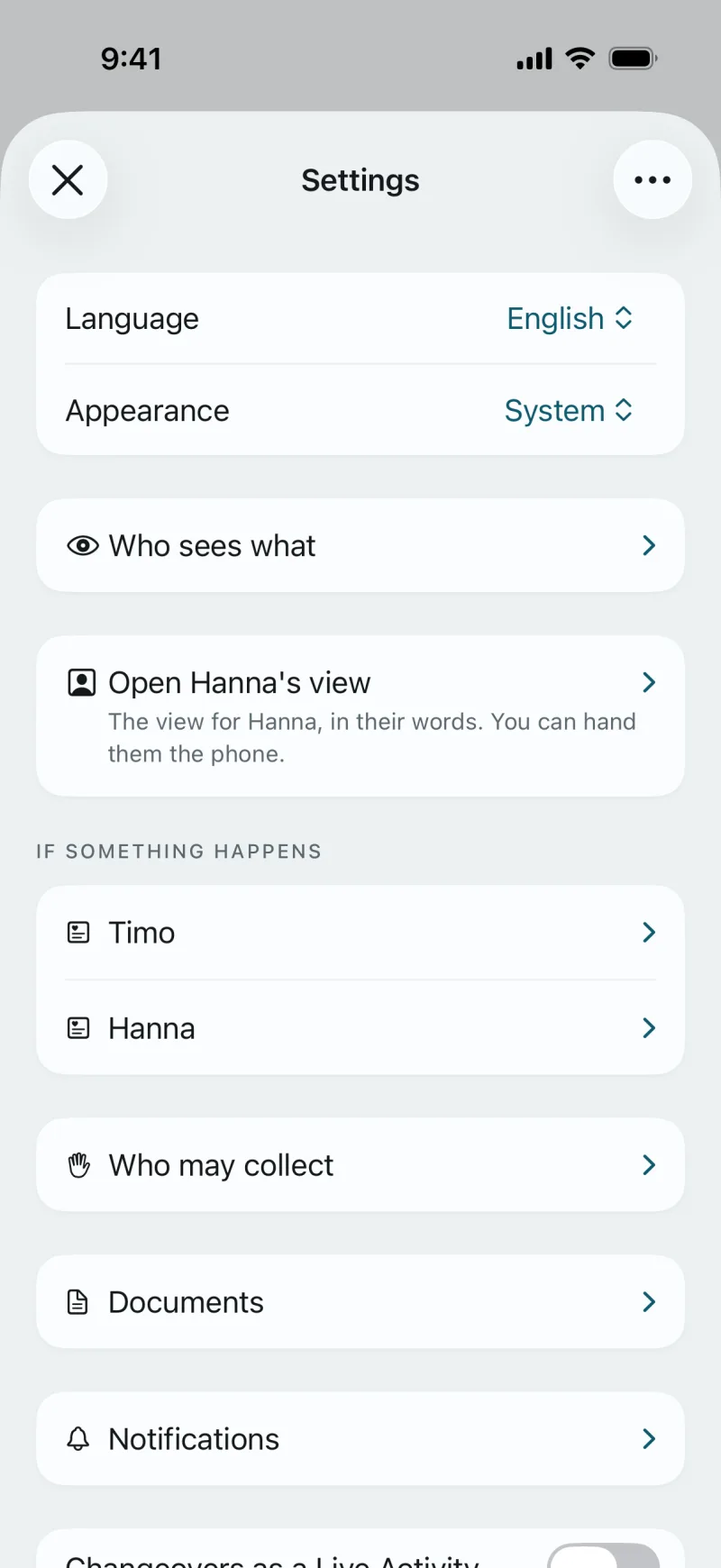
For a child without an account, you tap “Open Hanna’s view” in Settings and hand over your phone. It shows the sentence of the day, such as “You’ll be with Dad at 15:30 today.”, and a timeline with the people of the day.
Under “If something happens” there is the “Emergency 112” button and the line “Tell a grown-up straight away.” “Close” takes you back.
An account only with both of you
A child’s account is created only when both of you agree. The text is written for the child and says what it sees and who sees what it sees.
On a child’s screen nothing is counted; there are no points and no rewards.
You can start on your own.
The plan sits in your calendar even if the other household only joins later. Whoever joins by invitation sees the same plan.
An account is created in the app. In the browser you sign in with it.